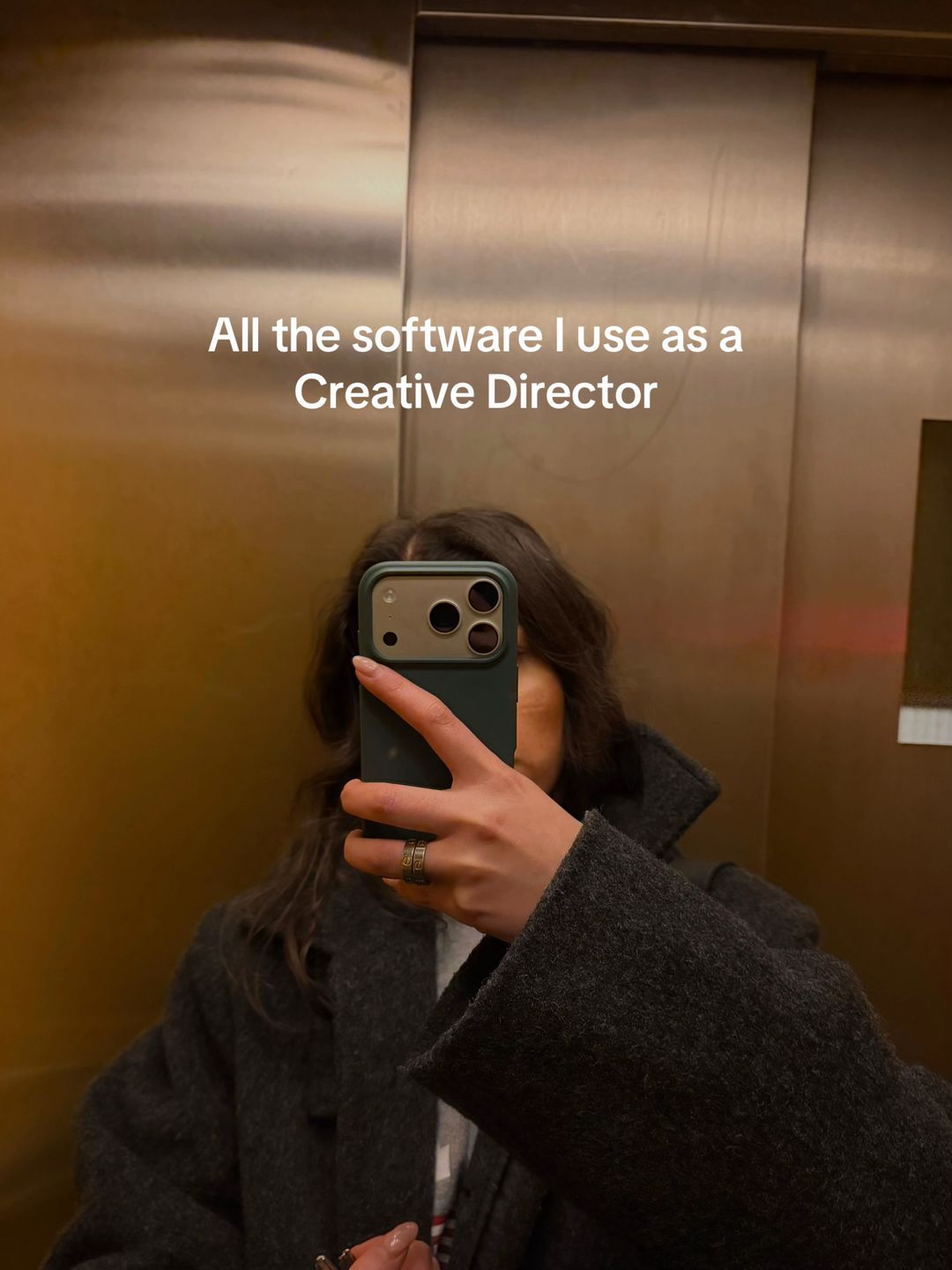
It combines a status-driven job title with a promise of utility, perfectly targeting the viewer's career aspirations.
Slide Text
All the software I use as a Creative Director
Visual
A mirror selfie in an elevator, face obscured by a phone, moody lighting.
All Slides
@beyz_i carousel breakdown
Beyz🪩
#creativedirector #software #adobe #skills #notion
Effectiveness score
9/10
Views
278.9K
Likes
39.3K
Saves
24.2K
Engagement
23.2%
Hook
All the software I use as a Creative Director
Goal
build-community
Offer
information
CTA
none
Caption
#creativedirector #software #adobe #skills #notion
Strategic Summary
This carousel went viral primarily due to an extreme bookmark rate (14.5x norm), driven by high-utility 'stack' content wrapped in aspirational lifestyle aesthetics. The controversy over specific tool choices (InDesign for social media) sparked debate in comments, boosting algorithmic velocity, while the 'Creative Director' title established immediate authority that validated the recommendations.
The Winning Formula
Authority identity claim + high-utility tool stack + moody lifestyle aesthetics that make software feel tangible.
What's working
- •Slide 1 establishes high-status identity ('Creative Director') immediately, triggering aspirational following.
- •Slide 2 creates controversy ('InDesign for socials') which drives comment debate and algorithmic engagement.
- •Visual consistency across all 8 slides (warm, moody, film-grain aesthetic) makes the carousel feel like a cohesive magazine spread rather than a tutorial.
- •Slide 4 (Notion) anchors the 'save' behavior by promising workflow secrets ('my second brain').
- •Metaphorical visuals (coffee cup for Keynote, menu board for Milanote) keep the feed visually interesting compared to boring screenshots.
What's not working
- •Slide 3 (Illustrator) visual is confusing (a printed menu in a car?) and doesn't clearly demonstrate the software, potentially causing a drop-off.
- •Slide 8 (Milanote) uses a physical coffee menu board as the visual, which might confuse users expecting to see the actual software interface.
Viral lesson
Utility content performs better when wrapped in identity-driven aesthetics; people save the 'vibe' as much as the information.
Can a small creator replicate this? Highly replicable for any knowledge-based niche (devs, writers, marketers) provided the creator has the photography skills to match the aesthetic quality.
Structural Formula (steal-the-format)
Structure pattern
8-slide list, alternating between lifestyle photography and screen captures, unified by warm color grading and centered text overlays.
Copy formula
Software Name + (Specific Use Case in Parentheses) — keeps it scannable and utility-focused.
What to swap (concrete remixes)
- •Swap 'Creative Director' for 'Senior Developer' to target tech audience with their stack (VS Code, GitHub, etc.).
- •Swap 'Software' for 'Morning Routine Supplements' to target wellness audience with product shots.
- •Swap 'Software' for 'Camera Gear' to target photographers with lens/body shots.
What NOT to copy
Do not copy the abstract metaphorical visuals (like the menu board for Milanote) unless your audience already understands the visual language; it risks confusion.
Aesthetics
Moody, warm-tone lifestyle photography with minimal white sans-serif overlays; 'Dark Academia Creative' vibe.
Color palette
What it conveys: Makes software usage feel cinematic, curated, and aspirational rather than technical or dry.
Slide-by-slide forensics
1hookmirror selfieaspirationalworks:yesgrab:85/100aesthetic:90/100All the software I use as a Creative Director
All the software I use as a Creative Director
Visual description
Mirror selfie in an elevator with brushed metal walls. Creator holds a phone with a green case obscuring most of her face. She wears a dark grey wool coat and a ring.
Scene setting
elevator mirror selfie
Visible people
Visible objects
Products on screen
Predicted audience reaction
Immediate stop for anyone aspiring to this job title.
Verdict: Strong identity hook that filters for the exact target audience (aspiring creatives).
2step in listlifestyle shotproductiveworks:yesgrab:80/100aesthetic:85/100Adobe Indesign
(for layouting, social media posts & stories, print related designs, presentations)
Adobe Indesign (for layouting, social media posts & stories, print related designs, presentations)
Visual description
Laptop resting on someone's lap (beige trousers). Screen shows Adobe InDesign interface. Background is a dimly lit room with wooden stairs and a lamp.
Scene setting
dimly lit home interior
Visible people
Visible objects
Products on screen
Other text elements
- •Laptop screen shows InDesign interface with a layout titled 'Cage'
vs prior slide
Style: Maintains warm, low-light aesthetic and centered white sans-serif text.
Story: Moves from identity promise to first concrete tool.
Predicted audience reaction
Debate over tool choice (InDesign for social).
Comments reacting to this slide
- "indesign for socials💀"
- "Indesign for social posts? Surely this is comment bait right?"
- "Indesign for social posts! So you're a real professional"
Verdict: Generates the most comments due to controversial tool usage.
3step in listclose upmoodyworks:partialgrab:70/100aesthetic:80/100Adobe Illustrator
(Designs, Social Media Posts)
Adobe Illustrator (Designs, Social Media Posts)
Visual description
Hand holding a printed paper menu inside a car. Dashboard and climate controls visible in background. Dark lighting.
Scene setting
inside car
Visible people
Visible objects
Products on screen
Other text elements
- •Paper menu text: 'Nour', 'THE ORIGINAL COCKTAIL DRINK'
vs prior slide
Style: Same font and color, but visual context shifts to car interior.
Story: Continues the software list.
Predicted audience reaction
Confusion about the visual metaphor (menu = Illustrator?).
Verdict: Visual is abstract; doesn't show the software, relying on text to carry the info.
4step in listscreenshotorganizedworks:yesgrab:90/100aesthetic:75/100Notion
(My holy girl, my workflows, content planner, basically my second brain)
Notion (My holy girl, my workflows, content planner, basically my second brain)
Visual description
Close-up of a laptop screen showing a Notion page titled 'Brand Strategy'. Page contains client avatars and demographics. Mac dock visible at bottom.
Scene setting
laptop screen close-up
Visible objects
Products on screen
Other text elements
- •Screen text: 'ICAs', 'Ideal Client Avatar', 'Demographics'
- •Dock icons: WhatsApp,Xd, Id, Ai, Pr, Ae, Ps, LrC
vs prior slide
Style: Breaks the lifestyle photo pattern with a direct screen capture, but text overlay remains consistent.
Story: Introduces the organizational tool, often the most 'saved' item.
Predicted audience reaction
High save intent for the template/setup.
Comments reacting to this slide
- "Can you show your notion setup?🙌🏽"
- "I've been considering Notion for a looooong time"
- "More examples for notion!!! It's so mind boggling"
Verdict: Directly addresses the 'how' behind the work, driving saves and comments.
5step in listlifestyle shotcuratedworks:yesgrab:85/100aesthetic:95/100Adobe Photoshop
(Mockups)
Adobe Photoshop (Mockups)
Visual description
Glass coffee table with a large photography magazine ('Behind The Bends'), a glass of orange juice, and stacked water glasses. Tennis rackets lean against a shelf in background.
Scene setting
living room coffee table
Visible objects
Products on screen
Other text elements
- •Magazine title: 'BEHIND THE BENDS'
- •Book spine: 'BOYFRIEND'
vs prior slide
Style: Returns to high-quality lifestyle photography.
Story: Lists another core Adobe tool.
Predicted audience reaction
Appreciation of the aesthetic, validation of Photoshop for mockups.
Verdict: Strong aesthetic value contributes to the overall 'save for inspo' behavior.
6step in listclose upcalmworks:partialgrab:75/100aesthetic:90/100Keynote
(Quick Presentations)
Keynote (Quick Presentations)
Visual description
White coffee cup on a marble-topped round table. Latte art visible. Background shows a wooden counter with coffee equipment.
Scene setting
coffee shop
Visible people
Visible objects
Products on screen
Other text elements
- •Cup text: 'JONAS REINDL'
vs prior slide
Style: Consistent warm tone and minimalist composition.
Story: Adds a presentation tool to the stack.
Predicted audience reaction
Relatability (coffee + work).
Verdict: Nice visual, but Keynote is less controversial/exciting than the other tools.
7step in listselfieprofessionalworks:partialgrab:70/100aesthetic:80/100Slack
(Team communication)
Slack (Team communication)
Visual description
Selfie of the creator wearing tortoise-shell glasses and a navy sweatshirt. White bookshelf and door in background.
Scene setting
home office / room
Visible people
Visible objects
Products on screen
vs prior slide
Style: Returns to human element, similar to Slide 1.
Story: Moves from creation tools to communication tools.
Predicted audience reaction
Acknowledgment of necessity (Slack).
Verdict: Standard tool, less engagement driver, but completes the 'Director' workflow picture.
8ctawide shotinspiredworks:yesgrab:80/100aesthetic:90/100Milanote
(Moodboards, Shotlist)
Milanote (Moodboards, Shotlist)
Visual description
Wooden coffee shop wall with menu prices listed directly on the wall. Shelves with coffee bags and equipment. Large speaker mounted high up.
Scene setting
coffee shop interior
Visible objects
Products on screen
Other text elements
- •Wall menu text: 'ESPRESSO', 'CAPPUCCINO', 'MATCHA'
vs prior slide
Style: Matches the warm wood tones of previous slides.
Story: Final tool, focuses on ideation/mood.
Predicted audience reaction
Agreement from visual thinkers.
Comments reacting to this slide
- "Milanote is top tier, also cosmos for moodboards >"
- "Milanote has my whole heart rn"
- "Milanote is my absolute ride or die"
Verdict: Validates a niche tool, creating a sense of in-group belonging for Milanote users.
Commerce intent
Mentioned products
Buy-intent phrases (from comments)
- •I've been considering Notion for a looooong time
- •That's why I still buy Adobe stock, thank you for validating me.
Objections (from comments)
- •Indesign for social posts? Surely this is comment bait right?
- •alternative for notion ? cus that platform does not seem intuitive for me
Comment ethnography
The audience is a mix of aspiring designers seeking validation and senior professionals correcting tool choices (InDesign debate).
Comments that characterize the audience
- "So you're a real professional"
- "Milanote is my absolute ride or die"
- "I use figma for social posts they've even got Buzz now which is made for it"
Pain points revealed
- •Struggle with learning curve of new tools (Notion)
- •Uncertainty about industry standard tools (InDesign vs Figma)
- •Need for organizational systems (workflows)
Aspirations revealed
- •Want to work as a Creative Director
- •Want a 'second brain' workflow system
- •Want to be seen as a 'real professional'
Top questions asked
- •Can you show your notion setup?
- •Can you recommend a magazine or platform for getting inspirations?
- •what camera are you using? your photos are crisp!
- •alternative for notion ?
Objections
- •InDesign is overkill for social posts
- •Notion is not intuitive
Diagnostics
Hook deep-dive
All the software I use as a Creative Director
Viewers want to know the specific 'secrets' behind the high-status title.
Engagement read
Bookmark rate is 14.5x the library norm, indicating this is treated as a reference resource rather than entertainment.
Mechanics
Visual variety within a consistent aesthetic palette keeps users swiping to see the next 'vibe'.
Brand & funnel
Brands visible
Buying-journey moment: Viewers are evaluating their own tool stack against a professional benchmark.
Ideal Customer Profile
Aspiring or early-career creative professionals who identify with the 'that girl' or 'creative director' aesthetic and want to optimize their workflow.
Age
18-24
Gender
female
Readability
simple
Interests
Pain Points
Aspirations
Emotional Profile
Primary Emotion
aspirationIntensity
Effectiveness
Emotions Evoked
Emotional Arc
curiosity → recognition → validation → inspiration
Why It Lands
It taps into the viewer's desire to be the 'type of person' who uses these tools, making the software feel like a key to a successful career.
Writing Analysis
Style
listicle
Tone
aspirational
Hook Type
identity statement
Quality
Concise and direct. It avoids fluff, focusing entirely on the tool and its specific application, which respects the viewer's time.
Effectiveness
Goal Achievement
The massive save count confirms it achieved its goal of becoming a reference piece for the target audience.
Why It Spread
high save-to-view ratio
niche-specific aesthetic
highly actionable, low-friction information
Content DNA
There is no explicit CTA, which is a missed opportunity to drive traffic to a newsletter or portfolio, though it keeps the content feeling purely helpful.
Narrative Arc
The carousel maintains a steady rhythm of 'tool + aesthetic context', keeping the viewer engaged by alternating between software and lifestyle imagery.
Psychological Blueprint
Why It Spread
The post perfectly aligns with the 'that girl' aesthetic, turning mundane software tools into aspirational lifestyle markers. By pairing high-value, actionable information with a highly shareable, moody aesthetic, it triggered a massive save-to-view ratio (nearly 10%), signaling to the algorithm that the content is a 'reference' piece worth keeping.
Framework
authority then teachPrimary Tactic
authorityTactics Used
curiosity-gap on slide 1: 'All the software I use' implies a secret list
social-proof: the high number of saves (24k) acts as a signal of high value
authority: using the title 'Creative Director' to establish expertise
aesthetic-as-trust: the high-quality, moody photography signals professional competence
Cognitive Biases
halo effect: the creator's aesthetic lifestyle makes the tools seem more effective
bandwagon effect: the high save count encourages others to save it for later
Tribal Markers
Trust Signals
Slide Breakdown (8 analyzed)
Hook Analysis
It combines a status-driven job title with a promise of utility, perfectly targeting the viewer's career aspirations.
Text
All the software I use as a Creative Director
Visual
A mirror selfie in an elevator, face obscured by a phone, moody lighting.
Visual Elements
Color Palette
Copy Analysis
Power Words
Open Loop: yes, it promises a list of tools for a desirable job title
Visual Psychology
Attention: the text overlay
Emotional cue: the 'cool' elevator selfie aesthetic
Composition: to establish authority and intrigue
Text
Adobe Indesign (for layouting, social media posts & stories, print related designs, presentations)
Visual
Laptop on lap in a cozy, warm-lit room, hands on trackpad.
Visual Elements
Color Palette
Copy Analysis
Power Words
Open Loop: yes, the list continues
Visual Psychology
Attention: the laptop screen
Emotional cue: warm, cozy lighting
Composition: to make work feel like a lifestyle
Text
Adobe Illustrator (Designs, Social Media Posts)
Visual
Hand holding a printed document inside a car.
Visual Elements
Color Palette
Copy Analysis
Power Words
Open Loop: yes, the list continues
Visual Psychology
Attention: the paper
Emotional cue: the 'on-the-go' professional vibe
Composition: to show real-world application
Text
Notion (My holy girl, my workflows, content planner, basically my second brain)
Visual
Laptop screen showing a Notion dashboard with client avatars.
Visual Elements
Color Palette
Copy Analysis
Power Words
Open Loop: yes, the list continues
Visual Psychology
Attention: the Notion text
Emotional cue: the feeling of being organized
Composition: to provide proof of system
Text
Adobe Photoshop (Mockups)
Visual
A coffee table with magazines and glasses.
Visual Elements
Color Palette
Copy Analysis
Power Words
Open Loop: yes, the list continues
Visual Psychology
Attention: the magazine
Emotional cue: the 'aesthetic' lifestyle
Composition: to associate the tool with high-end design
Text
Keynote (Quick Presentations)
Visual
A coffee cup on a marble table.
Visual Elements
Color Palette
Copy Analysis
Power Words
Open Loop: yes, the list continues
Visual Psychology
Attention: the cup
Emotional cue: the 'work-from-cafe' vibe
Composition: to make the tool feel accessible
Text
Slack (Team communication)
Visual
A selfie of the creator wearing glasses.
Visual Elements
Color Palette
Copy Analysis
Power Words
Open Loop: yes, the list continues
Visual Psychology
Attention: the creator's face
Gaze: direct eye contact
Emotional cue: the 'professional' look
Composition: to build personal connection
Text
Milanote (Moodboards, Shotlist)
Visual
A cafe menu board on a wooden wall.
Visual Elements
Color Palette
Copy Analysis
Power Words
Open Loop: no, end of list
Visual Psychology
Attention: the text overlay
Emotional cue: the 'aesthetic' environment
Composition: to conclude the list
Comment Intelligence
Sentiment
PositiveResonance
Intent
build-community
Audience Vibe
The comments are sparse but highly appreciative, reflecting the 'save-first' nature of the content.
Top Comments
indesign for socials💀
Indesign for social posts? Surely this is comment bait right? I am a creative lead 😂
Milanote is top tier, also cosmos for moodboards >
Milanote has my whole heart rn
I have been using Figma soooooo much lately in my workflow. Especially for social posts, layouts, pitch decks, brand guidelines, and mood boards. Having everything in one spot is a game changer 🤭