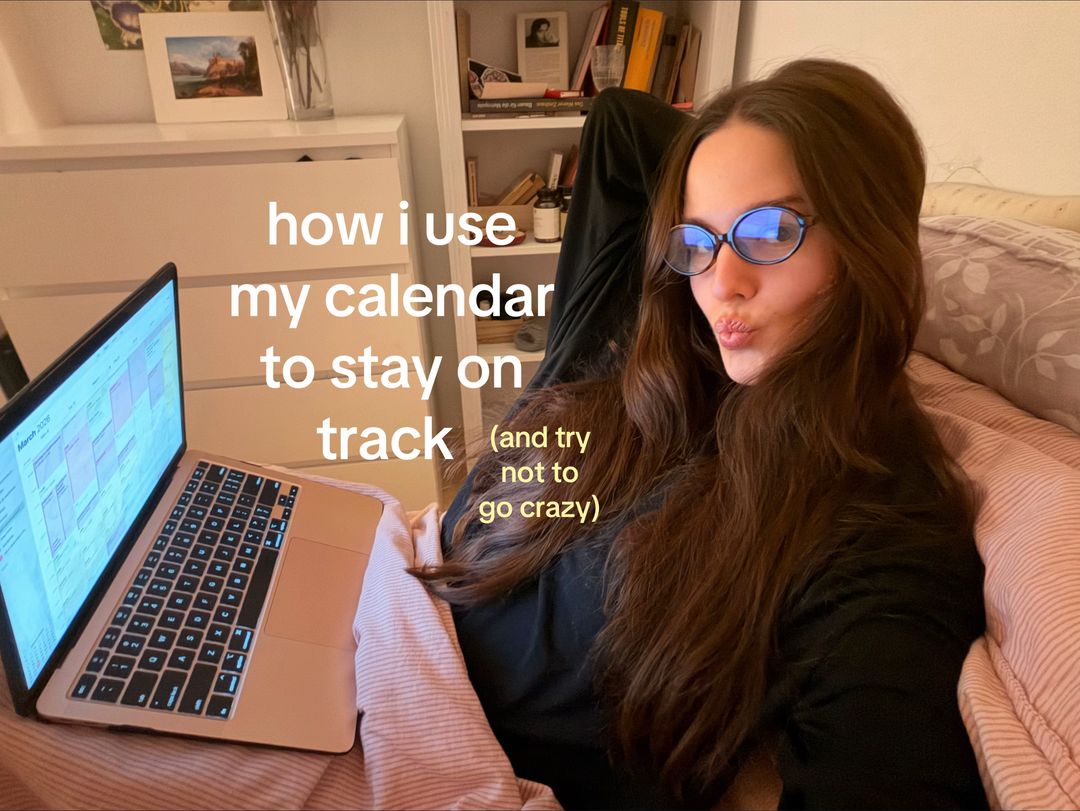
The hook works because it addresses a universal pain point (productivity vs. burnout) and promises a solution that is both effective and 'sane'.
Slide Text
how i use my calendar to stay on track (and try not to go crazy)
Visual
Creator in bed with a laptop, wearing blue-light glasses, looking directly at the camera with a relaxed, cozy vibe.
All Slides
@daryas.journal carousel breakdown
daryas.journal
#SelfImprovement #motivation #planwithme #productivity #inspiration
Effectiveness score
9/10
Views
197.3K
Likes
23.3K
Saves
9.6K
Engagement
16.9%
Hook
how i use my calendar to stay on track (and try not to go crazy)
Goal
educate
Offer
information
CTA
treat it as a fun way to give yourself direction and structure, play around and find what works for YOU
Caption
#SelfImprovement #motivation #planwithme #productivity #inspiration
Strategic Summary
This carousel went viral because it solves a high-anxiety problem (disorganization) with a low-friction, high-aesthetic solution. The 7.9x bookmark rate indicates users view this as a reference manual, not just content. The winning mechanic is pairing technical instruction (color blocking) with emotional permission ('don't be hard on yourself'), which disarms the guilt often associated with productivity failures.
The Winning Formula
Aesthetic Proof of Control + Sequential Implementation Steps + Emotional Permission to Imperfectly Execute.
What's working
- •Slide 1 humanizes the tech: showing the creator relaxed on a bed with a laptop signals 'this is easy/manageable' rather than 'corporate grind'.
- •Slide 2 reveals the 'secret sauce' immediately (custom colors), satisfying the curiosity gap created by the aesthetic screenshots.
- •Slide 5 acts as an emotional brake, preventing viewer overwhelm by explicitly granting permission to adjust the plan.
- •The pastel color palette creates a 'cozy productivity' vibe that differentiates it from sterile corporate advice.
What's not working
- •Slide 3 and 4 are text-dense screenshots; users might skim the specific time blocks, reducing dwell time on the middle slides.
- •No explicit CTA to follow or save in the visual text of Slide 5, relying entirely on the value prop to drive the 7.9x bookmark rate.
Viral lesson
Utility content performs best when wrapped in emotional safety; teach the skill, but validate the struggle.
Can a small creator replicate this? Highly replicable for any creator in the 'how-to' space who can screenshot their own process; requires no budget, just a clear workflow and consistent aesthetic.
Structural Formula (steal-the-format)
Structure pattern
5-slide tutorial: Hook (Identity) -> Step 1 (Setup) -> Step 2 (Input) -> Step 3 (Optimization) -> Step 4 (Mindset/Permission).
Copy formula
lowercase conversational directives + numbered steps + emotional reassurance in final slide.
What to swap (concrete remixes)
- •Swap calendar planning for meal prep planning for health niche.
- •Swap calendar planning for budget allocation for finance niche.
- •Swap digital calendar for physical bullet journal for stationery niche.
What NOT to copy
Do not copy the specific color palette without ensuring it matches your brand; the 'cozy' vibe is specific to this creator's identity and might feel inauthentic if copied exactly by a high-energy brand.
Aesthetics
Cozy Digital Minimalism with pastel color-blocking
Color palette
What it conveys: The soft pastels and lifestyle photography create a sense of calm control, countering the usual stress associated with productivity content.
Slide-by-slide forensics
1hooklifestyle shotrelatable calmworks:yesgrab:85/100aesthetic:90/100how i use my calendar to stay on track (and try not to go crazy)
how i use my calendar to stay on track (and try not to go crazy)
Visual description
Creator lying on a bed with pink striped duvet, wearing glasses and black top, legs up against a white dresser. Laptop open showing calendar grid. Warm, cozy lighting.
Scene setting
bedroom workspace
Visible people
Visible objects
Products on screen
vs prior slide
Predicted audience reaction
I feel seen; productivity usually makes me crazy, but she looks relaxed.
Verdict: Establishes the 'cozy productivity' identity immediately; the parenthetical '(and try not to go crazy)' is the emotional hook.
2step in listscreenshotclarityworks:yesgrab:90/100aesthetic:80/1001 the most important: create multiple calendars for different spheres of your life to separate those by color blocking
1 the most important: create multiple calendars for different spheres of your life to separate those by color blocking
Visual description
Screenshot of calendar app settings menu overlaying the calendar grid. A color picker modal is highlighted with a pink box around 'Custom Color...'.
Scene setting
digital interface
Visible objects
Other text elements
- •for cute colors press 'custom color'
- •university
- •work and producti...
- •social life
- •health & wellness
- •reading
- •strategy
- •self-developm...
- •March 2026
vs prior slide
Style: Shifts from lifestyle photo to UI screenshot, but maintains the pink color accent.
Story: Moves from the 'why/hook' to the first actionable 'how'.
Predicted audience reaction
Oh, that's the trick! Custom colors.
Comments reacting to this slide
- "@lena.mrgrt: Could you share the HEX Codes for the calendar colours?🩷"
- "@user480152411: Could you share the color codes pls🤓"
Verdict: This is the 'value density' slide; comments prove users are stopping here to extract the specific visual details (colors).
3step in listscreenshotstructureworks:partialgrab:75/100aesthetic:85/1002 add the things you absolutely have to do like - work - uni - meetings - appointments that's key because then you see all of your free time clearly
2 add the things you absolutely have to do like - work - uni - meetings - appointments that's key because then you see all of your free time clearly
Visual description
Weekly calendar view showing sparse blocks of color (pink, yellow, green) representing the 'mandatory' tasks mentioned in the text.
Scene setting
digital interface
Visible objects
Other text elements
- •March 2026
- •meeting with a friend
- •study session
- •doctor
- •productive time and working on my projects
vs prior slide
Style: Consistent UI screenshot style and font overlay.
Story: Step 2 builds on Step 1 by filling the calendars with actual data.
Predicted audience reaction
Okay, I can map my mandatory stuff first.
Verdict: Necessary for the tutorial, but visually similar to Slide 2; risks skimming if not for the numbered progression.
4step in listscreenshotfulfillmentworks:yesgrab:80/100aesthetic:85/1003 now add all of the things that support your personal growth, health and dreams I time block the whole day and try to maintain balance between colors (so balance between the spheres of my life) I use the periods in between, it can be 30 min of scrolling or 30 min learning a language, it compounds 💋
3 now add all of the things that support your personal growth, health and dreams I time block the whole day and try to maintain balance between colors (so balance between the spheres of my life) I use the periods in between, it can be 30 min of scrolling or 30 min learning a language, it compounds 💋
Visual description
Full weekly calendar view now densely packed with color blocks. Shows the 'after' state of the planning process.
Scene setting
digital interface
Visible objects
Other text elements
- •March 2026
- •walk
- •gym
- •daily rituals
- •working on myself session
- •productive time and working on my projects
vs prior slide
Style: Same UI, but the visual density increases significantly to show the 'full' system.
Story: Completes the system by adding the 'dreams/growth' layer.
Predicted audience reaction
Wow, it looks so balanced and full.
Comments reacting to this slide
- "@lcd_03: Wait I love that you carve out time for self development "
Verdict: This is the aspiration slide; it shows the ideal outcome (balance) which drives the emotional save.
5philosophical payoffscreenshotreliefworks:yesgrab:85/100aesthetic:90/1004 don't be hard on yourself, it's YOUR plan, you can always adjust and change it depending on how you feel I adjust things all the time, no guilt because I am trying and it's more than enough treat it as a fun way to give yourself direction and structure, play around and find what works for YOU ❤️
4 don't be hard on yourself, it's YOUR plan, you can always adjust and change it depending on how you feel I adjust things all the time, no guilt because I am trying and it's more than enough treat it as a fun way to give yourself direction and structure, play around and find what works for YOU ❤️
Visual description
Daily view of the calendar showing large blocks of color. Text overlay is large and centered, focusing on the mindset rather than the tool.
Scene setting
digital interface
Visible objects
Other text elements
- •8. March 2026
- •Sunday
- •productive time and working on my projects
- •study session
- •clean
vs prior slide
Style: Consistent font and background, but text volume increases for emphasis.
Story: Shifts from 'how to' to 'how to feel', closing the emotional loop.
Predicted audience reaction
I needed to hear this. I always quit planners because I feel guilty.
Verdict: Crucial for the high save rate; it removes the barrier to entry (fear of failure) making the system feel safe to try.
Commerce intent
Mentioned products
Buy-intent phrases (from comments)
- •do you feel this calender is better than the google calander??
- •Can I do this with my Mac book or do I need an iPad?
Objections (from comments)
- •i usually use time tree for school and work but i like how you use the time blocks!
Comment ethnography
The audience is in 'implementation mode'—they aren't just liking, they are trying to replicate the exact setup. This is a high-intent community.
Comments that characterize the audience
- "@alyssa_brien: do you feel this calender is better than the google calander??"
- "@lena.mrgrt: Could you share the HEX Codes for the calendar colours?🩷"
- "@lcd_03: Wait I love that you carve out time for self development 🥹"
Pain points revealed
- •fear of choosing the wrong tool (Google vs Apple vs TimeTree)
- •need for aesthetic customization (HEX codes)
- •overwhelm with appointments and tasks
Aspirations revealed
- •wanting a 'color blocked' life
- •seeking balance between work and self-development
- •desire for a system that doesn't induce guilt
Top questions asked
- •do you feel this calender is better than the google calander??
- •Can I do this with my Mac book or do I need an iPad?
- •Could you share the HEX Codes for the calendar colours?
- •What do you think about physical journals and calendars on a notebook?
Objections
- •compatibility concerns (Mac vs iPad)
- •preference for physical vs digital
Diagnostics
Hook deep-dive
how i use my calendar to stay on track (and try not to go crazy)
The parenthetical '(and try not to go crazy)' promises a solution to the pain of burnout, not just a technical tutorial.
Engagement read
Bookmark rate is 7.9x the library norm, indicating this is treated as a saved resource rather than ephemeral entertainment.
Mechanics
Numbered steps (1, 2, 3, 4) create a completion bias that forces the swipe to finish the sequence.
Brand & funnel
Brands visible
Buying-journey moment: The viewer is actively seeking a system to fix their chaos and is evaluating if this specific method fits their tech stack.
Ideal Customer Profile
Overwhelmed students or young professionals seeking structure without burnout, who value aesthetic, low-pressure productivity methods.
Age
18-24
Gender
female
Readability
simple
Interests
Pain Points
Aspirations
Emotional Profile
Primary Emotion
reassuranceIntensity
Effectiveness
Emotions Evoked
Emotional Arc
curiosity → recognition → validation → motivation
Why It Lands
The content validates the viewer's struggle with productivity while offering a gentle, non-judgmental solution, shifting the viewer from stressed to empowered.
Writing Analysis
Style
educational
Tone
relatable
Hook Type
relatable observation
Quality
The writing is concise, empathetic, and avoids jargon. It uses a 'friend-to-friend' tone that makes complex time-blocking feel accessible.
Effectiveness
Goal Achievement
The high bookmark count confirms the goal of educating and providing a repeatable system was highly successful.
Why It Spread
aesthetic appeal of the calendar screenshots
low-pressure, guilt-free messaging
high utility for the target demographic
Content DNA
It's a soft CTA that focuses on empowerment rather than a hard sell, which fits the 'self-improvement' niche perfectly.
Narrative Arc
The narrative moves from the 'how-to' of the system to the emotional 'why' of self-compassion, keeping the viewer engaged through the final slide.
Psychological Blueprint
Why It Spread
The post hit a perfect intersection of high-utility information and low-pressure relatability. By framing productivity as a 'fun' way to find balance rather than a rigid requirement, it removed the anxiety typically associated with time management. The 16.87% engagement rate, driven by a massive bookmark-to-view ratio, proves that viewers saved this as a 'reference guide' for their own lives.
Framework
authority then teachPrimary Tactic
validationTactics Used
curiosity gap on slide 1 — 'how i use my calendar... (and try not to go crazy)'
social proof via high bookmark count — signals high value content
identity-signaling via 'that girl' aesthetic — signals membership in a specific productivity tribe
pattern-interrupt via the juxtaposition of a cozy bed setting with a professional calendar app
Cognitive Biases
Zeigarnik effect — the promise of a 'system' to close the loop on unfinished tasks
anchoring — the creator anchors the viewer to the idea that they can be productive without 'going crazy'
social comparison — viewers compare their chaotic schedules to the creator's organized, color-coded calendar
Tribal Markers
Trust Signals
Slide Breakdown (5 analyzed)
Hook Analysis
The hook works because it addresses a universal pain point (productivity vs. burnout) and promises a solution that is both effective and 'sane'.
Text
how i use my calendar to stay on track (and try not to go crazy)
Visual
Creator in bed with a laptop, wearing blue-light glasses, looking directly at the camera with a relaxed, cozy vibe.
Visual Elements
Color Palette
Copy Analysis
Power Words
Open Loop: yes — the promise of a system to stay on track without burnout creates a need to see the 'how'
Visual Psychology
Attention: The creator's face and the laptop screen
Gaze: Direct eye contact with the viewer
Emotional cue: The cozy, relaxed posture signals that productivity doesn't have to be stressful
Composition: To establish immediate relatability and trust
Text
1 the most important: create multiple calendars for different spheres of your life to separate those by color blocking
Visual
Screenshot of a calendar app settings menu with color options highlighted.
Visual Elements
Color Palette
Copy Analysis
Power Words
Open Loop: no
Visual Psychology
Attention: The color selection menu
Emotional cue: The organized colors trigger a sense of calm and order
Composition: To show the viewer exactly how to start the process
Text
2 add the things you absolutely have to do like - work - uni - meetings - appointments
Visual
Screenshot of a weekly calendar view with various color-coded blocks.
Visual Elements
Color Palette
Copy Analysis
Power Words
Open Loop: yes — sets up the next step of adding personal growth items
Visual Psychology
Attention: The list of tasks
Emotional cue: The visual structure provides a sense of control
Composition: To demonstrate the 'must-do' foundation of the system
Text
3 now add all of the things that support your personal growth, health and dreams
Visual
A more populated weekly calendar view showing a mix of work and personal growth tasks.
Visual Elements
Color Palette
Copy Analysis
Power Words
Open Loop: yes — leaves the viewer wondering how to handle the 'guilt' of not following the plan
Visual Psychology
Attention: The dense calendar grid
Emotional cue: The visual density signals a 'full' but balanced life
Composition: To show the integration of personal goals into the schedule
Text
4 don't be hard on yourself, it's YOUR plan, you can always adjust and change it depending on how you feel
Visual
Close-up of a single day on the calendar with a supportive text overlay.
Visual Elements
Color Palette
Copy Analysis
Power Words
Open Loop: no
Visual Psychology
Attention: The text overlay
Emotional cue: The heart emoji and supportive language trigger validation
Composition: To provide emotional closure and permission to be imperfect
Comment Intelligence
Sentiment
PositiveResonance
Intent
educate
Audience Vibe
The comments are sparse but highly appreciative, reflecting the 'save-and-go' nature of the content.
Standout Quotes
“This is exactly what I needed to see today.”
“The color coding is so satisfying.”
“Finally, a system that doesn't make me feel guilty for being human.”
Top Comments
do you feel this calender is better than the google calander?? i usually use time tree for school and work but i like how you use the time blocks!
Can I do this with my Mac book or do I need an iPad?
Could you share the HEX Codes for the calendar colours?🩷
Love that!! I have soooo many appointments and things to do I would never be able to plan my day/week/month without a planner. Mine has day/week/month/year, tasks and notes. Plus you can add little stickers/emojis. You can also write a note for each thing on your tasks and color and categorize notes/tasks. Idk how I’d live without it! (More pics below)
Could you share the color codes pls🤓💌