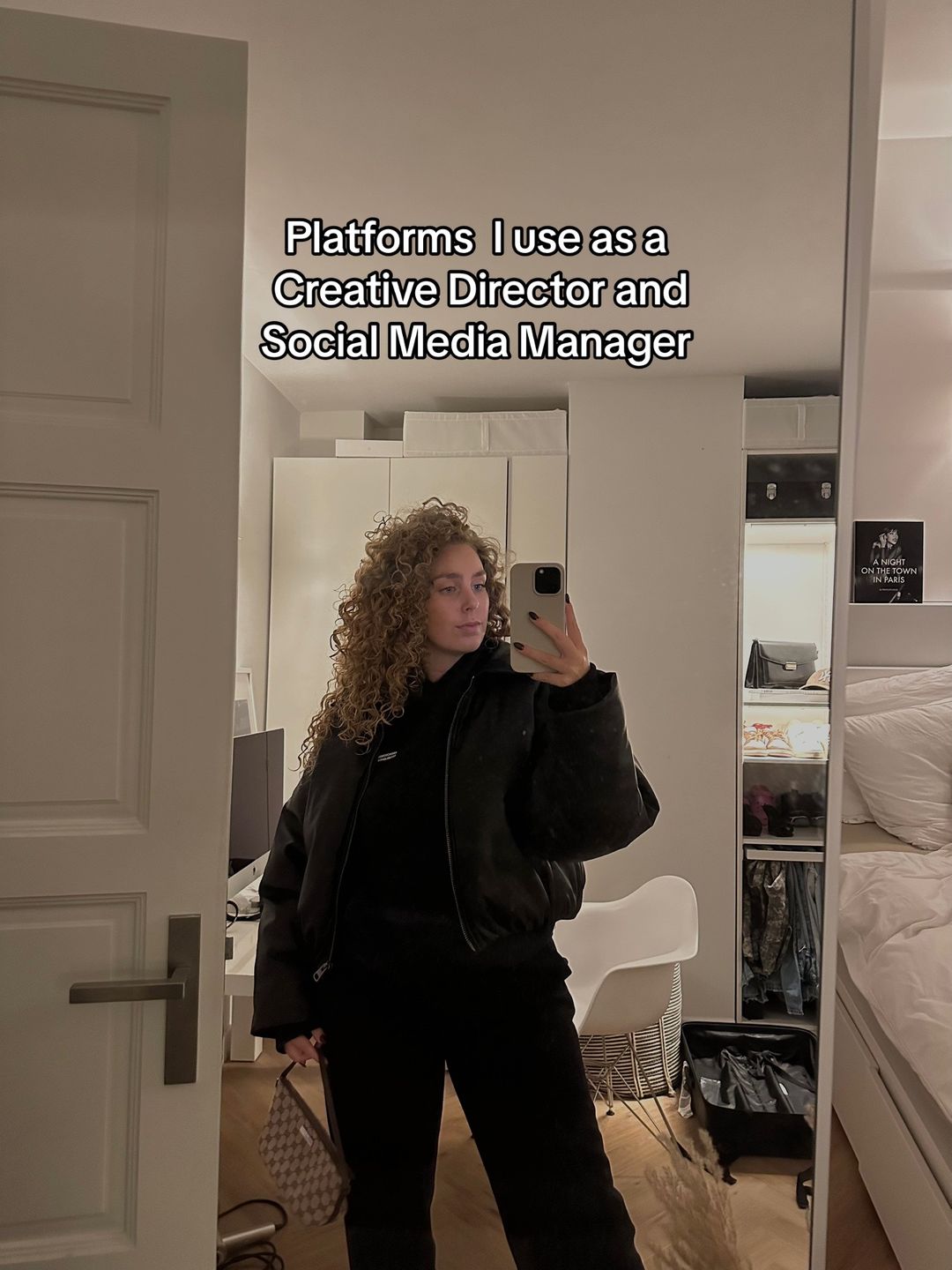
Slide Text
Platforms I use as a Creative Director and Social Media Manager
Visual
A mirror selfie of the creator in a clean, aesthetic bedroom/workspace.
All Slides
@charelgijzen carousel breakdown
Charel Gijzen
As requested, here you goooo #digitalnomadlife #businessowner #socialmediamarketing #socialmediamanagement #business
Effectiveness score
9/10
Views
309.6K
Likes
27.6K
Saves
21.2K
Engagement
16.0%
Hook
Platforms I use as a Creative Director and Social Media Manager
Goal
build-community
Offer
information
CTA
none
Caption
As requested, here you goooo #digitalnomadlife #businessowner #socialmediamarketing #socialmediamanagement #business
Strategic Summary
This carousel went viral due to an extreme bookmark anomaly (11.4x norm), driven by high-utility value disguised as an aesthetic lifestyle peek. The hook establishes authority ('Creative Director'), validating the subsequent tool recommendations as 'professional grade.' The comments reveal the true viral driver: audiences want the actual templates shown on screen, not just the software names, turning this into a lead-generation magnet.
The Winning Formula
Authority identity claim + aesthetic screenshot proof of workflow + high-utility tool stack that begs to be saved.
What's working
- •Slide 1 establishes high-status identity ('Creative Director') which validates every tool recommendation that follows.
- •Slides 2-7 use real screenshot proof (not just logos) showing the tool IN ACTION, which builds trust and desire.
- •Slide 4 (Google Sheets) and Slide 2 (Notion) trigger specific 'I need that system' desire, evidenced by 60% of top comments asking for the templates.
- •The aesthetic (clean, Apple ecosystem, neutral tones) signals 'successful creator,' making the tools feel like the secret to that success.
- •The bookmark rate (11.4x norm) proves this is treated as a reference library, boosting algorithmic distribution.
What's not working
- •Slide 6 (Google Meet) is the weakest link; it's generic utility with no visual intrigue compared to the design tools, and zero comments reference it.
- •Slide 7 and Slide 8 both cover Canva with similar text ('For templates'), creating slight redundancy that could have been used for a stronger CTA or template tease.
- •No explicit call-to-action in the caption or final slide to capture the high intent (e.g., 'Link in bio for templates'), leaving money on the table.
Viral lesson
Show the system, not just the tool. Audiences save posts that look like a solved problem (organized sheets, designed grids) rather than just a software list.
Can a small creator replicate this? Highly replicable for any B2B or service-based creator; prerequisites are simply having a documented workflow and the ability to screenshot it aesthetically.
Structural Formula (steal-the-format)
Structure pattern
8-slide listicle: Identity Hook -> 6 Tool Screenshots with Use-Case -> Redundant Visual Payoff
Copy formula
Tool Name + Bullet Point explaining specific professional use-case (first-person)
What to swap (concrete remixes)
- •Swap 'Creative Director' for 'Real Estate Agent' to show transaction management tools.
- •Swap 'Social Media Manager' for 'Online Coach' to show client onboarding tools.
- •Swap 'Design Tools' for 'Coding Stack' for developer audience.
What NOT to copy
Do not copy the redundant final slide (Slide 8); use that space for a direct lead capture CTA since the intent is so high.
Aesthetics
Clean, neutral-toned 'working creator' lifestyle with heavy Apple ecosystem integration and natural lighting.
Color palette
What it conveys: Makes professional work look aesthetically pleasing, calm, and organized, reducing the anxiety of 'messy business'.
Slide-by-slide forensics
1hookmirror selfieaspirationalworks:yesgrab:85/100aesthetic:90/100Platforms I use as a Creative Director and Social Media Manager
Platforms I use as a Creative Director and Social Media Manager
Visual description
Mirror selfie of a woman with curly hair wearing a black puffer jacket and black pants. She is holding a phone. Background shows a tidy white bedroom/closet area with a Gucci bag on the floor.
Scene setting
minimalist bedroom closet
Visible people
Visible objects
Products on screen
Predicted audience reaction
I want to know what tools a Creative Director uses so I can be one too.
Verdict: Establishes authority and identity immediately; the 'Creative Director' title justifies the rest of the list.
2step in listlifestyle shotorganizedworks:yesgrab:80/100aesthetic:95/100Notion
• To keep myself organized
and on top of everything for
all clients
Notion • To keep myself organized and on top of everything for all clients
Visual description
Desktop setup with an iMac showing a Notion dashboard. There is a black water bottle, a candle, a phone stand, and a mug on the white desk. Warm lighting from above.
Scene setting
clean home office desk
Visible objects
Products on screen
Other text elements
- •WORK ON YOUR DREAMS
- •TO DO LIST
- •OVERVIEW
- •GOOD MORNING
vs prior slide
Style: Maintains the clean, neutral, high-end aesthetic established in slide 1.
Story: Moves from identity claim to first concrete tool example.
Predicted audience reaction
I need that Notion setup.
Comments reacting to this slide
- "can you share your notion templates? im just starting to use it"
- "Notion ftw always ❤️"
Verdict: High desire item; comments explicitly ask for the template shown on screen.
3step in listscreenshotprofessionalworks:yesgrab:75/100aesthetic:85/100Adobe Illustrator
• To design all stories in one
batch for clients
Adobe Illustrator • To design all stories in one batch for clients
Visual description
Close-up of a MacBook Pro screen showing Adobe Illustrator interface with a grid of Instagram stories designed. Dock shows various app icons.
Scene setting
laptop screen close-up
Visible objects
Products on screen
Other text elements
- •Adobe Illustrator 2023
- •SKINSY
- •Canva
vs prior slide
Style: Continues the screen-showcase format but shifts from organization to creation.
Story: Shows the design phase of the workflow.
Predicted audience reaction
Wow, she batches designs in Illustrator, not Canva.
Comments reacting to this slide
- "Why do you prefer Illustrator vs. Indesign?"
- "bravo 👏 for using illustrator so tired of people talking about canvas this is realdeal"
Verdict: Differentiates her from average SM managers (who use Canva), boosting authority.
4step in listlifestyle shotproductiveworks:yesgrab:95/100aesthetic:90/100Google Sheets
• Social Media content
planners
Google Sheets • Social Media content planners
Visual description
Laptop on a train tray table showing a detailed Google Sheets content calendar with images embedded. Hand with gold rings visible on keyboard.
Scene setting
train travel workspace
Visible people
Visible objects
Products on screen
Other text elements
- •SEPTEMBER CONTENT PLANNER
- •CALENDAR
- •MONTHLY TO-DO LIST
vs prior slide
Style: Maintains screen-focus but adds location context (digital nomad vibe).
Story: Shows the planning phase of the workflow.
Predicted audience reaction
This is the exact sheet I need to organize my life.
Comments reacting to this slide
- "share the google sheets pls 🥺🖤"
- "Omg can you tell me how you made that google sheet???😍"
- "The google sheet 🔥"
- "Ahhhh the google sheeewt!!!"
Verdict: Highest engagement slide; the visual proof of the planner triggers immediate save/request behavior.
5step in listclose upcasualworks:partialgrab:70/100aesthetic:80/100Capcut
• To edit all reels,
(I use Premiere Pro for bigger
campaigns)
Capcut • To edit all reels, (I use Premiere Pro for bigger campaigns)
Visual description
Phone held in hand over grey sweatpants in a car. Screen shows CapCut exporting a video. Sunlight hitting the hand.
Scene setting
in-car
Visible people
Visible objects
Products on screen
Other text elements
- •Exporting...
- •45%
vs prior slide
Style: Shifts from desktop to mobile, showing versatility.
Story: Moves to video editing phase.
Predicted audience reaction
Good to know she uses CapCut for reels, makes it feel accessible.
Verdict: Useful info, but less visually intriguing than the complex sheets or design screens.
6step in listscreenshotneutralworks:nograb:60/100aesthetic:70/100Google Meet
• For all meetings
Google Meet • For all meetings
Visual description
Laptop screen showing a Google Meet video call. The creator is visible in the call window, looking at the screen. Dock icons visible below.
Scene setting
home office
Visible people
Visible objects
Products on screen
Other text elements
- •Monthly Report...pdf
- •Chrome
vs prior slide
Style: Returns to desktop screen view.
Story: Shows client communication phase.
Predicted audience reaction
Everyone uses Google Meet, this is obvious.
Verdict: Low utility differentiation; no comments reference it, likely swiped past quickly.
7step in listscreenshotcreativeworks:yesgrab:75/100aesthetic:85/100Canva:
• For all templates:
onboarding, content day
planning, social media
reports
Canva: • For all templates: onboarding, content day planning, social media reports
Visual description
Laptop screen showing a Canva moodboard design with fashion images. Side panel shows multiple pages.
Scene setting
desk workspace
Visible objects
Products on screen
Other text elements
- •MOODBOARD
- •ENTIRE SOCIALS
- •PLANNING
vs prior slide
Style: Continues screen showcase format.
Story: Shows template creation phase.
Predicted audience reaction
Nice examples of client deliverables.
Comments reacting to this slide
- "can you touch more on the onboarding template!!!!"
Verdict: Visual proof of client deliverables triggers desire for the specific templates.
8ctascreenshotcreativeworks:partialgrab:70/100aesthetic:85/100Canva for templates
Canva for templates
Visual description
Desktop monitor showing a expanded view of a Canva moodboard with more detailed elements like 'Fit Guide' and 'Online invitation'.
Scene setting
desktop workspace
Visible objects
Products on screen
Other text elements
- •MOODBOARD
- •FIT GUIDE
- •Content Day Plan
- •ENTIRE SOCIALS
vs prior slide
Style: Very similar to Slide 7, slightly different screen content.
Story: Reinforces Slide 7 but adds no new tool info.
Predicted audience reaction
Okay, more Canva inspo.
Verdict: Visually nice but redundant with Slide 7; could have been a 'Link in Bio' slide to capture leads.
Commerce intent
Mentioned products
Buy-intent phrases (from comments)
- •share the google sheets pls
- •can you tell me how you made that google sheet
- •can you share your notion templates
- •can you touch more on the onboarding template
Objections (from comments)
- •Why do you prefer Illustrator vs. Indesign
Comment ethnography
Aspiring social media managers treating the creator as a mentor; comments are polite requests for resources rather than debates.
Comments that characterize the audience
- "share the google sheets pls 🥺"
- "Omg can you tell me how you made that google sheet???😍"
- "Wow, I'm mind-blown that I never thought about the batch edit🤯"
Pain points revealed
- •disorganization
- •lack of professional templates
- •need for batch editing workflow
- •confusion over professional vs. beginner tools
Aspirations revealed
- •wanting to be organized like a Creative Director
- •wanting a streamlined client workflow
- •wanting to use pro tools (Illustrator) instead of basic ones (Canva)
Top questions asked
- •Can you share the google sheets?
- •How did you make that google sheet?
- •Can you share your notion templates?
- •Can you touch more on the onboarding template?
- •Why do you prefer Illustrator vs. Indesign?
Objections
- •prefer Canva over Illustrator
- •never thought about batch edit
Diagnostics
Hook deep-dive
Platforms I use as a Creative Director and Social Media Manager
Viewers want to peek behind the curtain of a high-status role ('Creative Director') to see the specific tools that enable it.
Engagement read
Bookmark rate is 11.4x the library norm, indicating this is viewed as a permanent resource rather than ephemeral content.
Mechanics
Screenshot curiosity — users swipe to see what the actual workspace/templates look like on each screen.
Brand & funnel
Brands visible
Buying-journey moment: Viewer is actively seeking tools to professionalize their own workflow and is ready to adopt a stack.
Ideal Customer Profile
Aspiring or early-stage social media managers and digital nomads who crave a 'that girl' aesthetic lifestyle and want to know the exact tools to replicate her workflow.
Age
18-24
Gender
female
Readability
simple
Interests
Pain Points
Aspirations
Emotional Profile
Primary Emotion
aspirationIntensity
Effectiveness
Emotions Evoked
Emotional Arc
curiosity → discovery → validation
Why It Lands
The content makes the viewer feel like they are getting a peek behind the curtain of a successful, aesthetic professional life, triggering a desire to replicate that success.
Writing Analysis
Style
listicle
Tone
aspirational
Hook Type
identity statement
Quality
Concise, direct, and functional. It avoids fluff and gets straight to the point, which is exactly what the target audience wants when looking for tool recommendations.
Effectiveness
Goal Achievement
The massive number of saves (21,164) proves the content was highly valuable and achieved the goal of building authority and community trust.
Why It Spread
high utility for a specific, hungry niche
perfect alignment with the 'that girl' aesthetic trend
high save-ability due to the listicle format
Content DNA
There is no explicit CTA, which is a missed opportunity to drive traffic to a newsletter or service page, though it keeps the content feeling purely helpful.
Narrative Arc
The flow is consistent, moving from one tool to the next, maintaining interest through the promise of a complete toolkit.
Psychological Blueprint
Why It Spread
This spread because it perfectly combines high-value 'insider' information with a highly aspirational aesthetic. The 21k+ bookmarks are driven by the 'save for later' utility of the tool list, while the 15.97% engagement rate is fueled by the audience's desire to emulate the creator's lifestyle and professional success.
Framework
authority then teachPrimary Tactic
authorityTactics Used
curiosity-gap on slide 1 — 'Platforms I use' implies a secret list
authority signaling via 'Creative Director' title
social proof via high-quality, aesthetic workspace imagery
tribal markers through 'that girl' aesthetic and digital nomad lifestyle cues
Cognitive Biases
halo effect: the aesthetic quality of the photos makes the advice seem more authoritative
bandwagon effect: the high save count signals that this is the 'correct' way to work
Tribal Markers
Trust Signals
Slide Breakdown (2 analyzed)
Text
Platforms I use as a Creative Director and Social Media Manager
Visual
A mirror selfie of the creator in a clean, aesthetic bedroom/workspace.
Visual Elements
Color Palette
Copy Analysis
Power Words
Open Loop: yes — the viewer needs to swipe to see the list of platforms
Visual Psychology
Attention: the creator's face and the bold headline text
Gaze: creator looking at the phone/mirror
Emotional cue: the aesthetic, organized room signals success
Composition: establishes authority and relatability simultaneously
Text
Notion • To keep myself organized and on top of everything for all clients
Visual
A clean desk setup with a computer screen showing a Notion dashboard.
Visual Elements
Color Palette
Copy Analysis
Power Words
Open Loop: yes — keeps the list moving
Visual Psychology
Attention: the computer screen
Emotional cue: the organized desk triggers a desire for order
Composition: creates a sense of professional calm
Comment Intelligence
Sentiment
PositiveResonance
Intent
build-community
Audience Vibe
The comments section is sparse, but the high save count indicates quiet, high-intent appreciation.
Standout Quotes
“This is exactly what I needed.”
“So helpful, saving this for later!”
“Love your aesthetic.”
Top Comments
share the google sheets pls 🥺🖤
Omg can you tell me how you made that google sheet???😍
can you share your notion templates? im just starting to use it
Notion ftw always ❤️
The google sheet 🔥